

Advanced SOQL: Performance, Security & Dynamic Queries

Early in my career, I built a solution and made sure that the SOQL queries it used, returned exactly the right data in my developer sandbox. I was immensely proud of the work. It wasn’t until I deployed that “brilliant” new feature to a production org with millions of records and watched it fail due to non-selective queries that I realised a harsh truth: there is a massive difference between writing SOQL that works, and writing SOQL that scales.
In an enterprise Salesforce org, simply getting the data isn’t enough. As your data volume grows and your logic becomes more complex, basic queries will start hitting governor limits, slowing down page loads, or even exposing sensitive data. Mastering advanced SOQL means learning how to query responsibly, securely, and dynamically.
This guide explores the intersection of SOQL with Apex, Lightning, and the broader Salesforce platform. It is designed to take you from writing functional queries to writing resilient, enterprise-grade data logic. In this guide, we will cover:
- Governor Limits & Optimisation: Strategies to structure your queries so they handle Large Data Volumes (LDV) without crashing.
- Security & Context: How to ensure your queries respect sharing rules and field-level security without exposing vulnerabilities like SOQL injection.
- Dynamic SOQL: Building adaptable queries safely with bound values and allowlisted query structure.
👥 Who This Guide Is For
Section titled “👥 Who This Guide Is For”This guide is for those who are:
- Building Apex classes, Flows, LWCs, or integrations that query large datasets.
- Troubleshooting slow list views, reports, or custom UI data loads.
- Preparing for Salesforce Admin, Platform App Builder, or Platform Developer interview and certification scenarios where query performance and security matter.
- Moving from “it works” queries to “it scales and passes security review” query design.
If you are still new to SELECT, WHERE, relationships, and sorting, start with the SOQL essentials series first.
🎯 What “Advanced SOQL” Actually Means
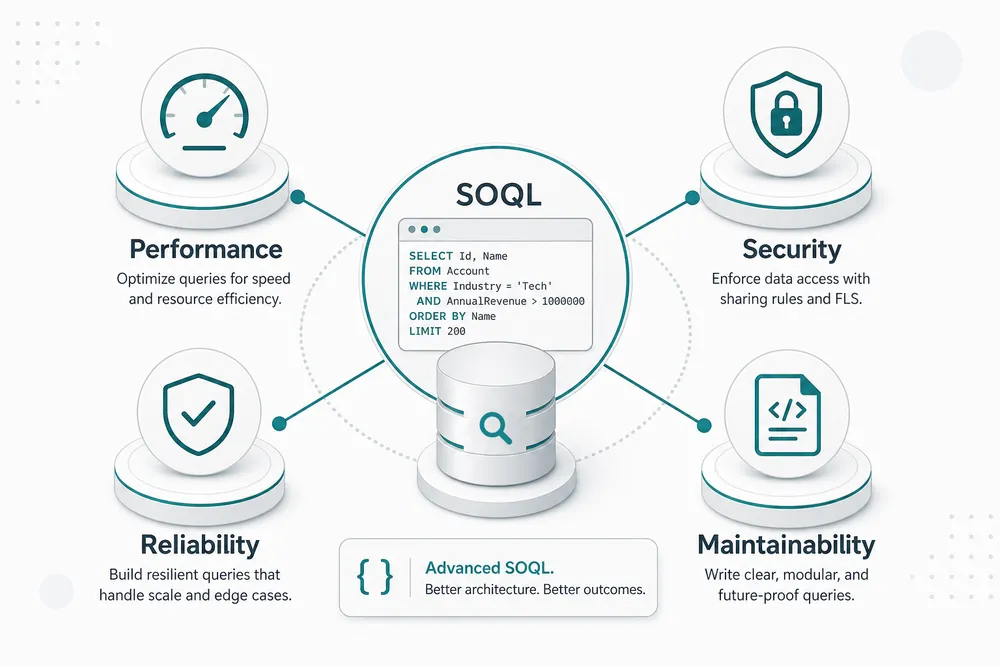
Section titled “🎯 What “Advanced SOQL” Actually Means”Advanced SOQL is not about memorising obscure clauses. It is about making better engineering decisions under Salesforce constraints:
- Performance: Designing selective queries that avoid full scans and unnecessary record retrieval.
- Security: Enforcing object permissions, field-level security (FLS), and safe dynamic query patterns per the SOQL and SOSL reference.
- Reliability: Staying within governor limits when code runs in bulk or high-concurrency contexts.
- Maintainability: Writing query logic that remains understandable as business rules evolve.
In practice, advanced SOQL is a combination of query design, Apex architecture, and platform-aware tradeoffs.
🚧 Common Problems This Guide Helps You Avoid
Section titled “🚧 Common Problems This Guide Helps You Avoid”Teams usually reach for advanced SOQL after running into one of these issues:
Too many SOQL queries: 101in triggers, batch logic, or controller code.- Non-selective query errors in large orgs.
- Slow Lightning pages caused by over-fetching fields and records.
- Security review findings tied to dynamic SOQL injection risks.
- Queries that work in sandbox but fail in production volume.
Each section in this guide focuses on prevention patterns, not just symptom fixes.
🧭 Suggested Learning Path
Section titled “🧭 Suggested Learning Path”If you are not sure where to begin, use this order:
- Start with Performance Optimisation and Security and SOQL to establish safe defaults.
- Continue with SOQL in Apex and FOR VIEW, REFERENCE, and UPDATE for transactional behaviour and concurrency.
- Move to Dynamic SOQL once your static-query fundamentals are solid.
- Finish with SOQL and Lightning, SOQL via APIs, and SOQL with AI for implementation patterns across channels.
By the end, you should be able to reason about query behaviour before deployment, not after production incidents.
🚀 What You Will Learn
Section titled “🚀 What You Will Learn”We have broken down the advanced aspects of SOQL into focused, practical guides. Pick the section that matches your problem, or follow the suggested learning path if it spans multiple areas.
🔐 Performance & Security
Section titled “🔐 Performance & Security”Start here for slow queries, non-selective errors, large data volumes, or findings about sharing, object permissions, field access, and query execution mode. The Dynamic SOQL guide below owns query-string and injection safety.

🧰 Apex & Platform Integration
Section titled “🧰 Apex & Platform Integration”This section is for bulk-safe SOQL in triggers and Batch Apex, row locking, recent-item tracking, and dynamically built queries for flexible UI filters.

3. Integrating SOQL with Apex
The nuances of SOQL in Apex: loops, bind variables, and avoiding the dreaded 101 limits.
4. FOR VIEW, REFERENCE, and UPDATE
Understand how locking rows and tracking recent items actually works under the hood.
5. Dynamic SOQL
Construct queries at runtime to build highly adaptable features without hardcoding criteria.🌐 Advanced Interfaces
Section titled “🌐 Advanced Interfaces”For Lightning data loads, large extracts to external systems and warehouses, and AI-assisted query workflows.

6. SOQL and Lightning
Best practices for feeding data into Aura and Lightning Web Components efficiently.
7. SOQL via APIs
Executing queries through the REST and Bulk APIs for external integrations.
8. Using AI for SOQL
How AI tools and natural language generation are changing the way developers write and optimise queries.🔍 Ready to look beyond standard objects?
Section titled “🔍 Ready to look beyond standard objects?”If you need to perform broad, text based searches across multiple objects at once rather than structured database queries, SOQL might not be the right tool. Check out our introduction to Salesforce Object Search Language (SOSL).
Getting Started with SOSLLearn when to use SOSL over SOQL for multi-object text searching.
✅ Conclusion
Section titled “✅ Conclusion”Advanced SOQL is less about collecting unusual clauses and more about making risk visible before release. A production-ready query has a clear business purpose, a measured query plan where volume matters, an explicit security context, and a test that represents the users and data shape it will meet in production.
Take one real query through the guides in this series and record what changed: selected fields, cardinality, leading operation, access mode, and expected row count. That small evidence trail is more valuable in a review than saying a query “looks optimised”. When the requirement changes from structured retrieval to broad text search, continue with the SOSL series.
📚 Resources
Section titled “📚 Resources”Use these official references alongside the JamForce advanced guides when you need authoritative syntax, limits, or platform behaviour:
SOQL and SOSL reference (Salesforce Developer Docs)Complete syntax reference for clauses, operators, relationship queries, and platform-specific SOQL features.
Apex governor limits (Salesforce Developer Docs)Official limits for SOQL queries, rows returned, and related runtime constraints in Apex.
Query Plan Tool and selective queries (Salesforce Developer Docs)How to analyse query selectivity, indexes, and performance before deploying to large orgs.